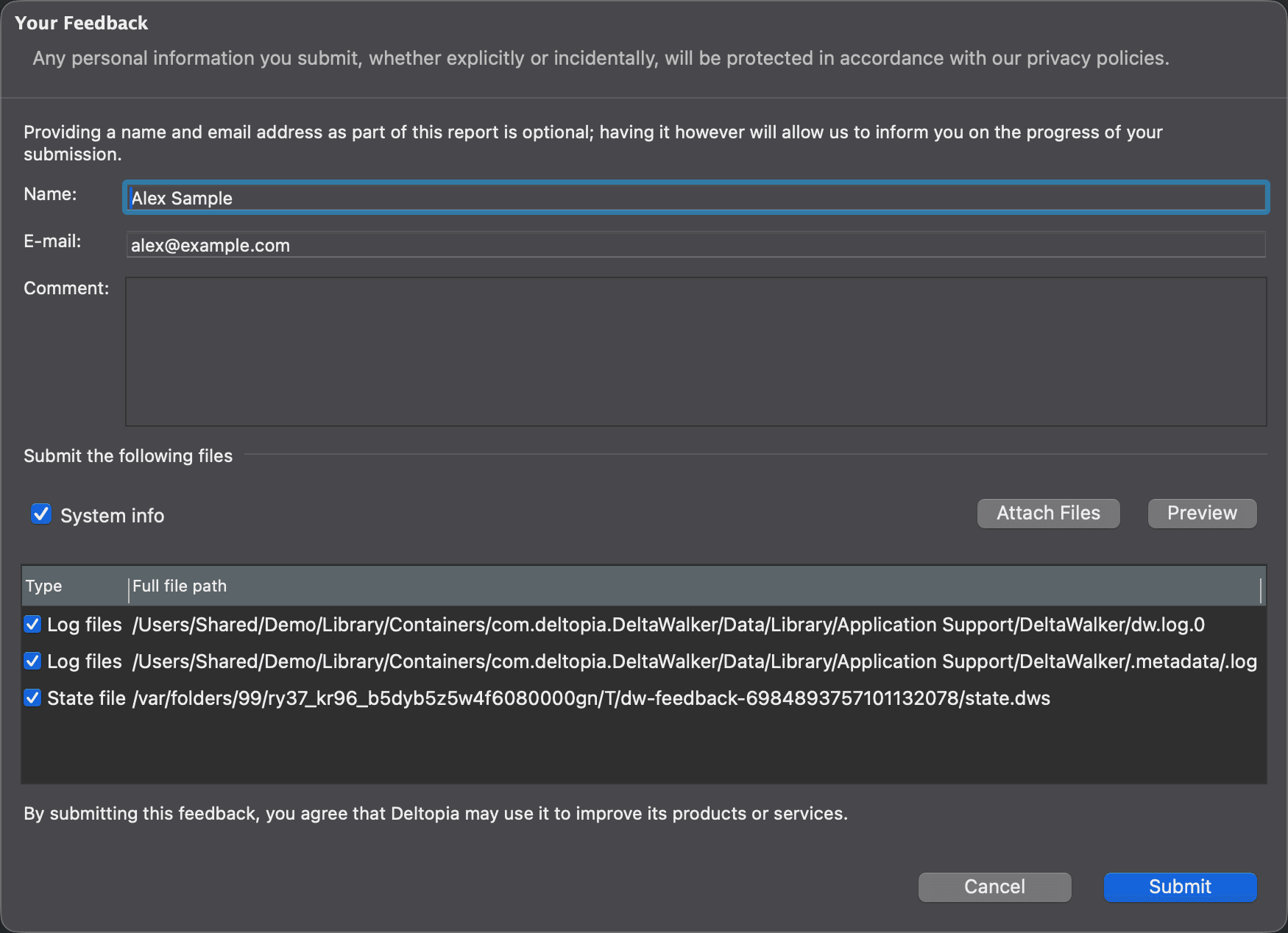
Submit Feedback Dialog
Use the Submit Feedback dialog to send a problem report, a question or an idea to Deltopia directly from DeltaWalker Classic. To open it, choose Help > Submit Feedback….
The dialog does the heavy lifting for you: it attaches DeltaWalker Classic’s log files and state file, adds information about your system, lets you preview everything before sending it, and sends it to us with a click of a button.
When reporting a problem, please describe the steps that will let us reproduce it on our end. Screenshots are often helpful; add them with Attach Files.
| Control | Description |
|---|---|
| Name, E-mail | Optional. With them, we can keep you informed about the progress of your submission. |
| Comment | Your message to us. |
| System info | Adds information about your system and the Java runtime, such as memory, disk space and system properties. Selected by default. |
| Attach Files | Adds files of your choice, such as screenshots, to the list. |
| Preview | Shows the information to be submitted: your comment, the system information, and the contents of the selected log and state files. |
| File list | The files to be submitted: the Log files, the State file and the files you attached (Custom). Clear a file’s check box to leave it out, or double-click a file to preview it. |
| Submit | Sends your feedback and the selected files. DeltaWalker Classic then shows a reference ID for your submission. |
| Cancel | Closes the dialog without sending anything. |
Any personal information you submit, whether explicitly or incidentally, is protected in accordance with our privacy policy. By submitting feedback, including enhancement requests and ideas for new features, you agree that Deltopia may use it to improve its products or services.
Appearance