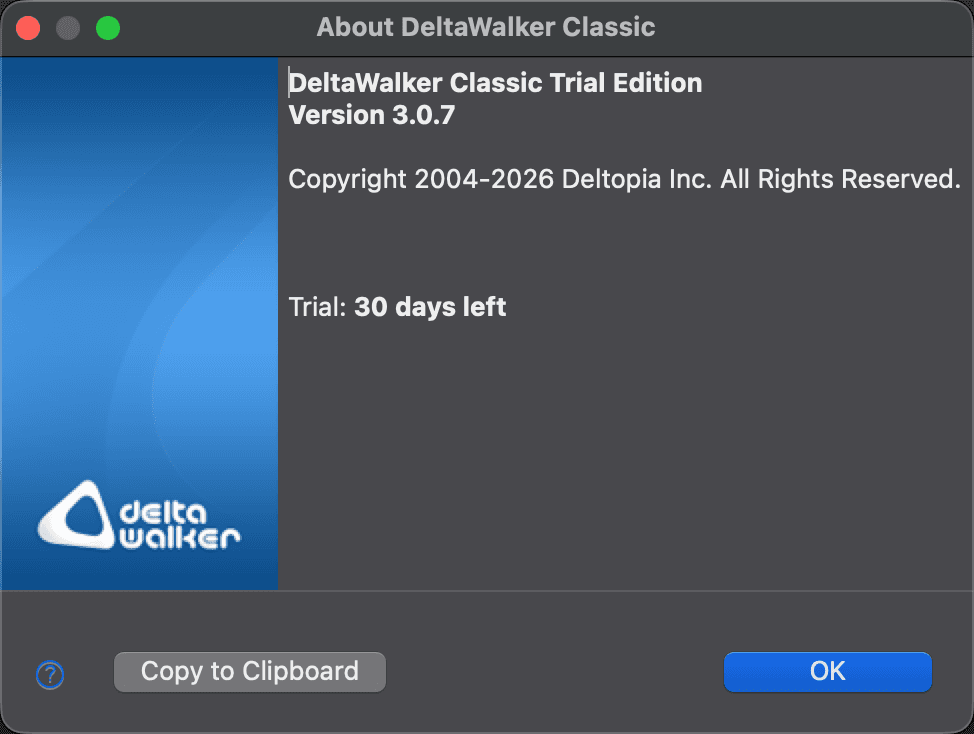
About Dialog
The About dialog shows which edition and version of DeltaWalker Classic you are running, and the details of the license in effect. To open it, choose DeltaWalker Classic > About DeltaWalker Classic on macOS, or Help > About DeltaWalker Classic on Windows and Linux. In DeltaWalker Classic Free, the menu item reads About DeltaWalker Classic Free.
The first lines name the edition and the version, for example DeltaWalker Classic Pro Edition or DeltaWalker Classic Free. What follows depends on the license in effect:
- An activated license (Free, Pro, or Oro): the E-mail address it was activated with and its License ID.
- A DeltaWalker Classic license key: Licensed to, E-mail, and Company, as entered when the key was installed, and the License key.
- The trial: the days left, for example Trial: 12 days left. If you have already activated DeltaWalker Classic Free, the line reads Trial: 12 days left, then DeltaWalker Classic Free, followed by the E-mail and License ID of the Free license. Once the trial is over and nothing takes its place, it reads Trial: ended, comparisons are paused.
The Mac App Store version shows the product name and version only.
A detail that has no value is left out. If you hold both an activated license and a license key, the dialog shows the one in effect: the higher edition or, at the same edition, the activated license.
Click Copy to Clipboard to copy all of this information, for example to include it in a message to support. Click OK to close the dialog.
Appearance