Text Comparison Summary Dialog
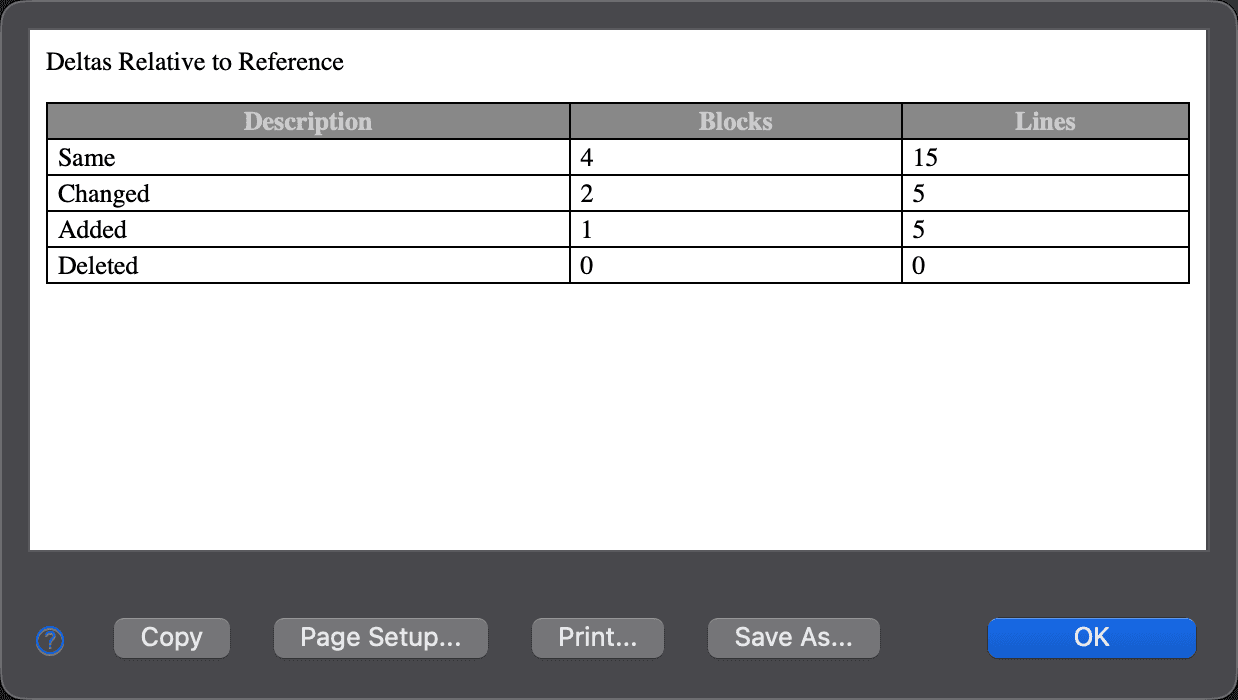
The Text Comparison Summary dialog summarizes the results of a text comparison. To open it, choose File > Comparison Summary…, right-click a text editor and choose Comparison Summary…, or double-click one of the comparison summary panels in the status bar.
The summary counts the Same, Changed, Added and Deleted text, both in Blocks and in Lines, of the modified file relative to the reference file. The block counts are the same as those in the status bar summary panels; the line counts are specific to this dialog.
In a three-way comparison, the counts are relative to the reference (ancestor) file and combine the changes of both modified files. An additional Conflicting row shows the blocks and lines with conflicting changes.
| Control | Description |
|---|---|
| Copy | Copies the summary table to the clipboard, both as tab-separated text and as HTML. |
| Page Setup… | Opens the Page Setup dialog, where you adjust the page settings before printing. |
| Print… | Opens the Print dialog to print the summary. |
| Save As… | Saves the summary as an HTML file. |
| OK | Closes the dialog. |
Appearance
See Also
最后更新于