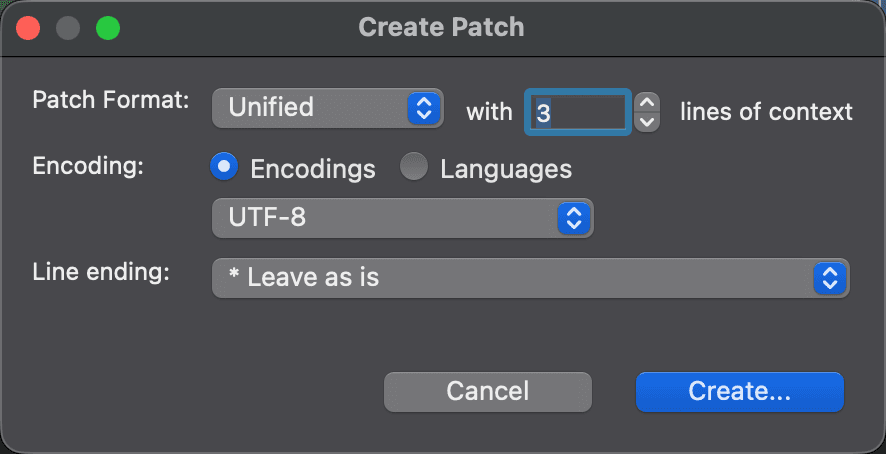
Create Patch Dialog
Use the Create Patch dialog to save the differences between the two files of a text comparison as a patch file. To open it, choose File > Report > Create Patch… in a two-way text comparison. The command is unavailable in a three-way comparison. For background on patches and their formats, see Text Comparison Reports.
On macOS and Linux, the Create Patch dialog with the options below comes first. Set them, then click Create… to choose the name and location of the patch file. On Windows, the same options appear in the save dialog itself.
| Control | Description |
|---|---|
| Patch Format: | The format of the patch: Context, ED script, Normal, or Unified. The dialog starts with Unified. |
| with n lines of context | The number of unchanged lines shown around each change. Available for the Context and Unified formats only. The dialog starts with 3. |
| Encoding: | The character encoding of the patch file. |
| Line ending: | The line ending of the patch file: Leave as is, or a specific line ending. |
What the patch contains in this version
In this version of DeltaWalker Classic, the patch is always written in the Unified format with three lines of context and UTF-8 encoding, whatever the dialog shows. The Patch Format:, lines of context, Encoding: and Line ending: settings do not change the file that is created. Unified patches with three lines of context are what most patch tools expect, so the result is usable as is.
DeltaWalker Classic writes the patch in the background. If it can’t create the patch, it doesn’t show a message.
Appearance