Snapshot Dialogs
A snapshot is a file that records the names and attributes of the files and folders in a folder comparison, together with that comparison’s settings. It holds no file contents. Snapshots are saved as DeltaWalker Snapshot files (.dwss). Use one to keep a record of a folder hierarchy, for archiving or auditing, or to compare a hierarchy later without having the original folder at hand.
Creating a snapshot
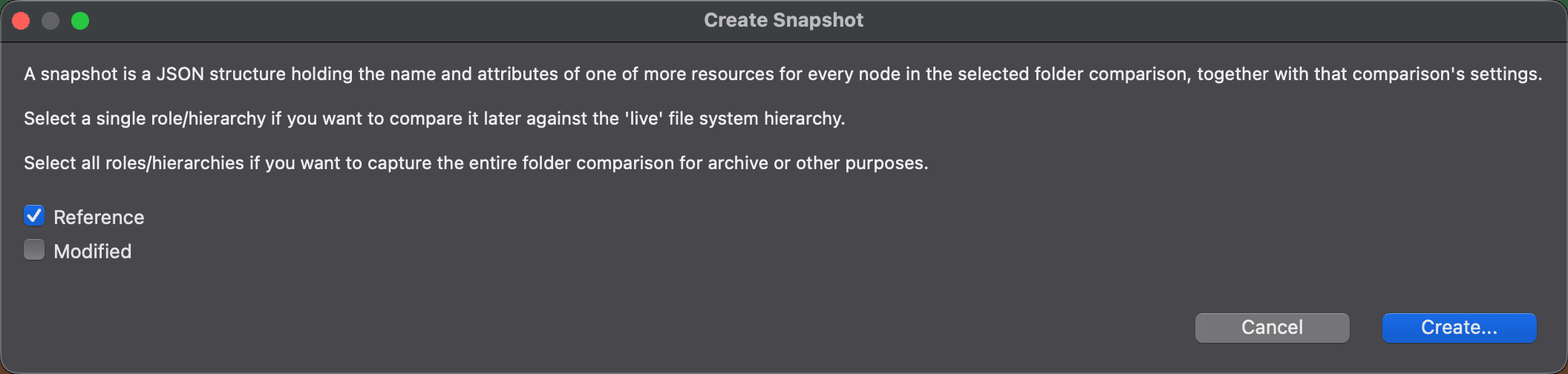
In a two-way folder comparison, choose File > Report > Create Snapshot…. The command is unavailable in a three-way comparison. The Create Snapshot dialog explains what a snapshot is and asks which sides of the comparison to record, using one checkbox for each side, such as Reference and Modified:
- Select a single side if you want to compare that folder hierarchy later against the live file system.
- Select both sides to capture the entire folder comparison, for archive or other purposes.
Reference is selected when the dialog opens. Click Create… to choose where to save the snapshot. On macOS and Linux this opens a file dialog; on Windows, the checkboxes are part of the save dialog itself. The file name starts out as Snapshot_ followed by the date and time, with the extension .dwss, in your home folder.
DeltaWalker Classic creates the snapshot in the background. If it can’t create it, it doesn’t show a message.
Opening a snapshot
Choose File > Report > Open Snapshot… and select a .dwss file in the Open Snapshot dialog. DeltaWalker Classic opens it in a folder comparison window. If the file can’t be opened, DeltaWalker Classic doesn’t show a message.
A side that comes from a snapshot is read-only: its path field is blue, and its tooltip says that the folder hierarchy represents a snapshot and cannot be modified. You can browse the recorded folders and files and see their names and attributes, but you can’t change them or synchronize them. A snapshot holds no file contents, so there is nothing to copy from it either. If you saved a single side, the snapshot is meant to be compared against the live folder it came from.
Appearance