All Comparisons
Find it under Settings > New Comparisons > All Comparisons. The tab of an active text or folder comparison has the same page, for that comparison alone.
Use this page to change the following settings, common to both file and folder comparison:
| Preference | Description | Default |
|---|---|---|
| Use text differencing optimized for speed / Use text differencing optimized for accuracy | Allows you to selects between two differencing algorithms—one optimized for speed and one optimized for accuracy. The difference in accuracy between these algorithms is often none, or minimal. | Optimized for speed |
| Ignore differences in whitespace | Selecting this option instructs DeltaWalker to ignore whitespace—spaces and tabs—when comparing files. | Off |
| Ignore differences in character case | Select this preference to have DeltaWalker ignore the care of characters when comparing files. | Off |
| Ignore differences in line endings (CR and LF) | Turn this option on when you want differences in line delimiters—Windows (CR LF), UNIX (LF), and Mac OS 9 (CR)—to be ignored during file comparison. | On |
| Follow symbolic links | When checked, DeltaWalker works with the file or folder a symbolic link points to. When unchecked, it works with the contents of the symbolic link itself. Available on Mac OS X and Linux. |
Off |
The page
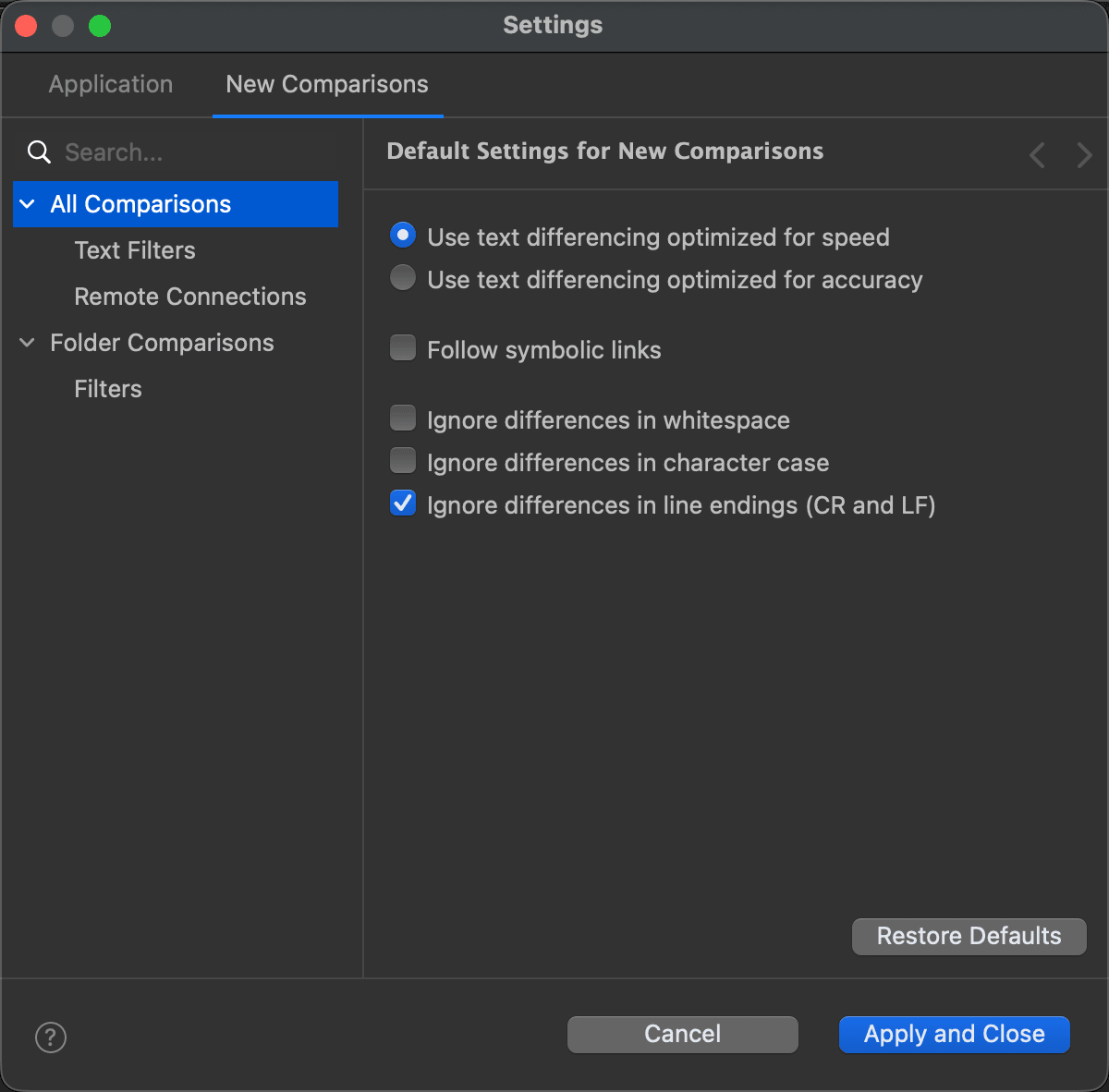
Pages under All Comparisons
See Also
Последна промяна на